
Cloud Account interface consists of:
Navigation panel where you can see and edit your user profile, access the "Home" page, and access pages related to the organisation.
Content area where the substance of the page is shown.
In this section, both administrators and members can edit their personal information and manage their user account.
On the Home page, you see the following information for each organisation account which you are a member of, were invited to or have requested access to:
The name of the organisation (if you were invited or are already a member of the organisation).
Organisation ID: Next to the organisation name, an Organisation ID icon is displayed if you are a part of an organisation. Click on the icon to copy the ID.
User type
you have in the organisation and status within the organisation (if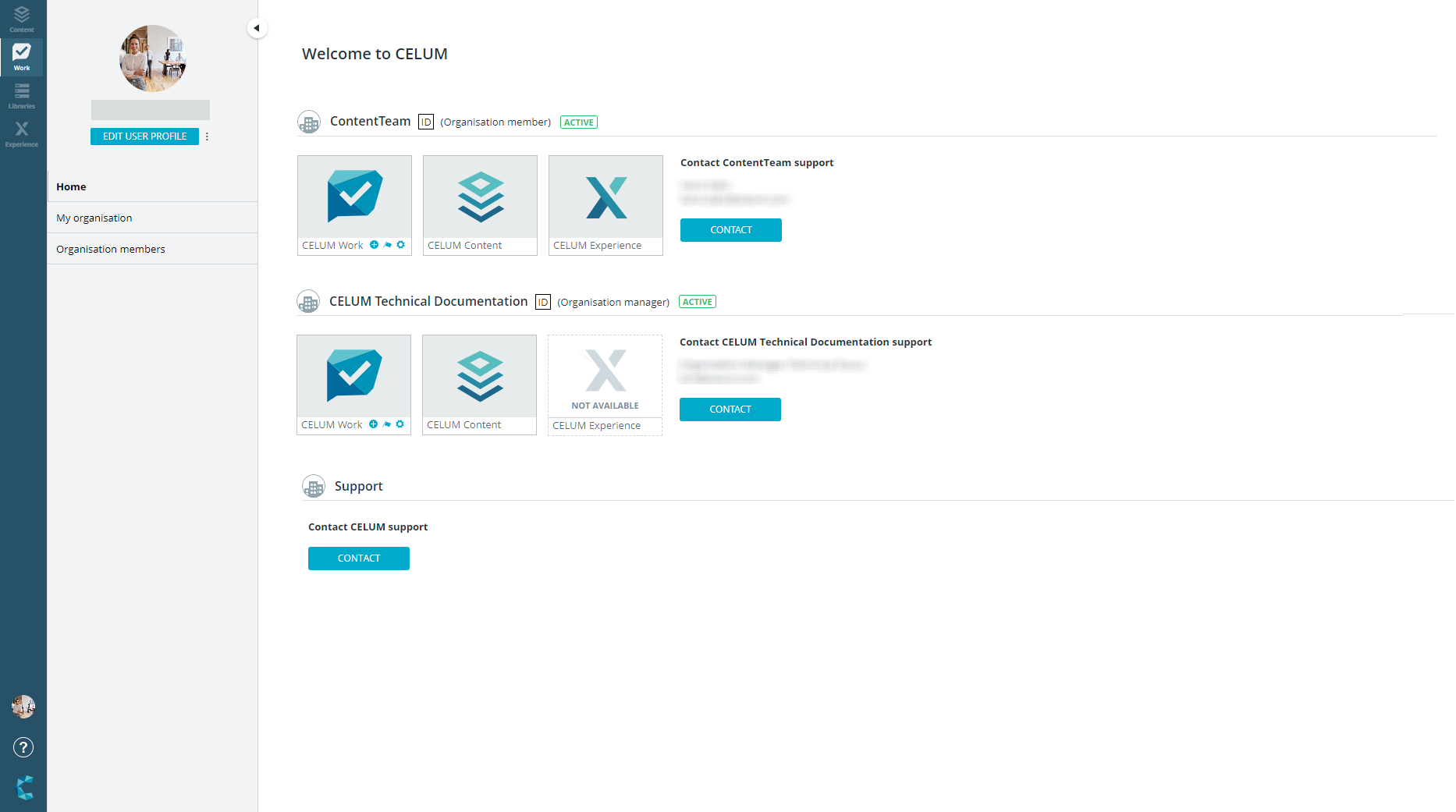 you are already a member of the organisation).
The service subscriptions for the organisation (if you are already an organisation member). Active subscriptions are displayed in blue, inactive subscriptions are displayed in gray.
Contact information for the owner of the organisation (if you were invited or are already an organisation member).
For organisations to which you have requested access via "Connect to Cloud Account" in CELUM Content or via a shared link and are not approved yet, you can only see your current status and no additional information about the organisation.
In the "My organisation" section, you can manage various aspects of the organisation account. This section is for administrators only and will be hidden for members with other user types.
The system bar is located on the left side of the browser window. You can access it from anywhere in the application. It contains the following functions:
Buttons to access all CELUM services in the CELUM Cloud
Format settings icon (visible only to organisation administrators or owners)
Your user settings (accessible via your avatar), which allows you to switch the application language, and log out.
The Help menu